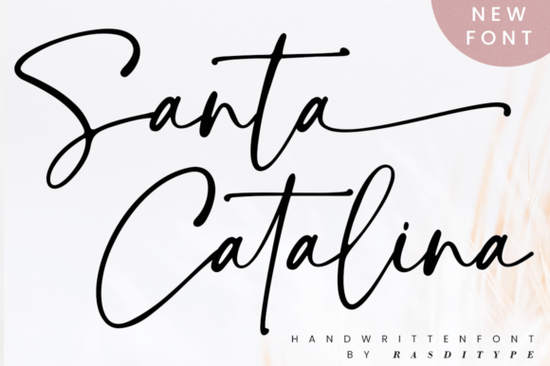
If you're looking for a handwritten font that blends elegance with personality, Santa Catalina Font might be exactly what your next project needs. With its smooth curves, subtle swashes, and natural flow, it captures the warmth of hand-lettered script without feeling overly ornate. Whether you’re designing wedding invitations, branding a small business, or adding a personal touch to digital art, Santa Catalina brings a timeless charm that’s both modern and approachable.
One of the standout features of this font is that it’s PUA (Private Use Area) encoded. That means all the extra glyphs alternate characters, swashes, and stylistic flourishes are easy to access without needing special design software skills. Just open your favorite program (like Adobe Illustrator, Canva, or even Silhouette Studio), and you’ll find those decorative elements right in your character map or glyph panel.
What kinds of projects work best with Santa Catalina?
Santa Catalina shines in designs where authenticity and soft sophistication matter. Here are a few real-world uses:
- Wedding stationery – From save-the-dates to place cards, its romantic flow complements floral motifs and minimalist layouts alike.
- Logo design – Small boutiques, bakeries, or lifestyle brands can use it to convey warmth and handmade quality.
- Photography watermarks – Its delicate lines won’t overpower your images but still add a signature look.
- Print-on-demand products – Think mugs, tote bags, or wall art featuring short quotes or names.
- Social media graphics – Ideal for quote posts, announcements, or seasonal content with a personal feel.
If you enjoy fonts with a similar handmade vibe, you might also like exploring options like the handmade-style script fonts collection, which offers other organic, brush-inspired choices perfect for crafters and small shop owners.
How does it compare to other script fonts?
Unlike stiff or overly formal scripts, Santa Catalina feels relaxed like something you’d write with a fine-tip pen on quality paper. It avoids the “too-perfect” look that can make digital fonts feel impersonal. At the same time, it’s more refined than casual doodle-style scripts, making it versatile across both professional and hobbyist projects.
For those who love soft, feminine aesthetics, it pairs beautifully with fonts like the pink pastel script fonts, especially when layering text in invitation suites or digital planners. If you’re working on baby-related designs think nursery signs or milestone cards you might also consider the baby boho script fonts, which share a similar gentle energy but lean into whimsical details.
Can beginners use this font effectively?
Absolutely. Because Santa Catalina includes intuitive alternates and doesn’t require complex OpenType features to look great, even new designers can achieve polished results. Start with simple phrases using the default characters, then experiment with swashes at the beginning or end of words for added flair.
Pro tip: Avoid overusing swashes in long paragraphs they’re best reserved for headlines, names, or short quotes. For body text or labels, stick to the standard letterforms to maintain readability.
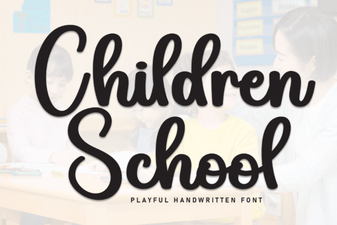
If you’re creating educational printables or kids’ activities, you might pair Santa Catalina with clearer, friendlier fonts like those in the children’s school font collection. And for heartfelt messages anniversary cards, love notes, or Valentine’s designs the “I heart you” script fonts offer complementary romantic styles.
Final tips before you download
Before using Santa Catalina commercially (like on Etsy products or client work), double-check the license included with your Creative Fabrica purchase. Most fonts on the platform come with a commercial-use license, but it’s always wise to confirm.
Also, test the font at different sizes. Some delicate scripts lose detail when scaled down, but Santa Catalina holds up well even at smaller point sizes just avoid going below 10pt for printed materials.
Ready to try it? Here’s a quick checklist to get started:
- Download and install Santa Catalina from your Creative Fabrica account.
- Open your design software and type a short phrase (e.g., “hello lovely”).
- Check the glyph panel for alternate letters or ending swashes try swapping one or two for visual interest.
- Pair it with a clean sans-serif font for contrast (like Montserrat or Lato).
- Save your design as a high-resolution PNG or vector file for printing or digital use.
With its balance of grace and usability, Santa Catalina is a reliable go-to for creatives who want their work to feel both intentional and human.
Get Started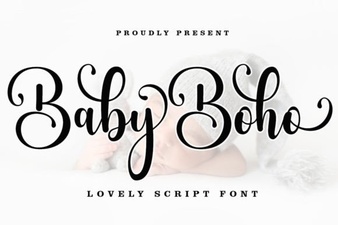 Boho Font Designs for Baby Milestones
 Typography Styles for Children's Educational Design
 Victory Swing Font: Retro Style for Bold Designs
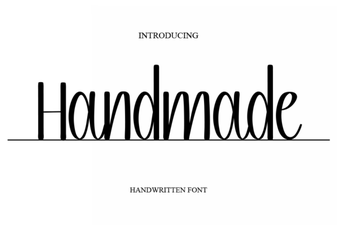 Craft Unique Designs with a Handmade Font
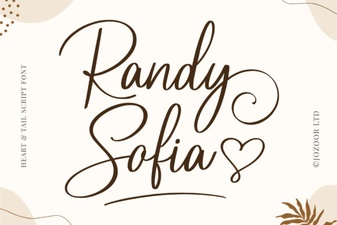 Randy Sofia: Elegant Font Designs & Applications
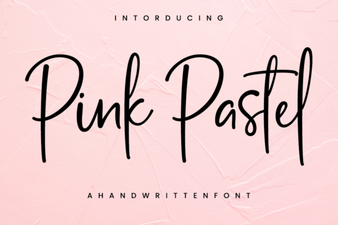 Pastel Pink Fonts for Elegant and Creative Designs